

Download Adobe Photoshop – Powerful Image Editing & Design Software
Overview
Adobe Photoshop stands as the benchmark for professional image editing and graphic design on the web. Loved by photographers, designers, and digital artists worldwide, Photoshop combines a deep toolbox with an intuitive interface that helps creators transform raw pixels into polished visual stories. Whether you are retouching a portrait, compositing a surreal landscape, or preparing assets for a brand campaign, Photoshop offers a reliable, secure, and constantly updated environment.
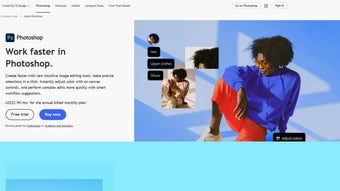
The latest cloud‑based version integrates AI‑driven Smart Selections, on‑canvas color adjustments, and a Distraction Removal tool that intelligently erases unwanted objects with a single click. These innovations reduce repetitive tasks, allowing you to focus on creativity rather than manual labor. Photoshop’s layer‑based workflow, adjustment masks, and non‑destructive editing ensure that every change can be refined or reverted at any stage, preserving original image fidelity.
Additionally, seamless integration with Adobe Creative Cloud means you can sync libraries, fonts, and assets across Windows, macOS, iPad, and even Android tablets, keeping your creative ecosystem fluid and always ready for the next project.
Key Features & Capabilities
- Smart Selections & Object Detection: AI‑powered selection tools instantly isolate subjects, even in complex backgrounds.
- Distraction Removal: One‑click removal of unwanted elements, automatically filling gaps with context‑aware content.
- On‑Canvas Color Adjustments: Real‑time hue, saturation, and luminance sliders appear directly on the image for precise control.
- Layer & Mask Management: Unlimited layers, adjustment masks, and clipping masks support non‑destructive workflows.
- Content‑Aware Fill & Scale: Fill missing areas with surrounding textures, and scale objects while preserving details.
- Creative Cloud Libraries: Sync brushes, colors, character styles, and assets across devices.
- 3D & Video Editing: Basic 3‑D modeling, timeline video editing, and motion graphics integration.
- Extensive Plug‑in Ecosystem: Marketplace for third‑party extensions, filters, and automation scripts.
- Cross‑Platform Support: Native apps for Windows, macOS, iPadOS, and limited Android/iOS functionality.
- Regular Updates & Security: Cloud‑based licensing ensures you receive the latest features and security patches automatically.
Installation, Usage & Compatibility
How to Download and Install
Begin by visiting the official Adobe website or the Creative Cloud desktop app. After signing in with your Adobe ID, locate Photoshop in the “Apps” tab and click “Install.” The installer automatically detects your operating system and downloads the appropriate build for Windows 10/11 or macOS Monterey and later. For iPad users, the App Store provides a touch‑optimized version that shares the same cloud libraries. The installation process typically completes within five minutes on a broadband connection, after which you’ll be prompted to sign in again to activate your subscription.
Getting Started Quickly
Upon launch, Photoshop opens the Home screen with quick‑access panels for recent projects, tutorials, and preset templates. New users can choose “Learn Photoshop” to explore guided lessons that cover everything from basic cropping to advanced compositing. The workspace is fully customizable: drag panels, create custom keyboard shortcuts, and save your layout as a workspace preset. For professionals, the “Preferences” menu lets you fine‑tune performance settings, such as GPU acceleration, memory usage, and scratch disk allocation, ensuring optimal speed on high‑resolution monitors.
System Requirements & Operating Systems
Adobe Photoshop requires a 64‑bit processor, at least 8 GB of RAM (16 GB recommended), and a graphics card with DirectX 12 support for Windows or Metal support for macOS. Minimum disk space is 4 GB, with additional space needed for cache and libraries. The software runs on Windows 10/11 (64‑bit) and macOS 11.0 (Big Sur) or later. An iPad version is available for iPadOS 14+, providing touch‑first tools while staying in sync with the desktop app via Creative Cloud. Android support is limited to companion features such as Photoshop Express; full‑featured editing remains desktop‑only.
Pros & Cons
- Pros:
- Industry‑standard toolset with unmatched depth.
- AI‑driven features accelerate routine tasks.
- Robust cross‑device syncing via Creative Cloud.
- Extensive learning resources and community support.
- Regular security updates keep the software safe.
- Cons:
- Subscription‑only pricing can be costly for freelancers.
- Steep learning curve for beginners.
- High system requirements may limit performance on older hardware.
- Full feature set not available on mobile platforms.
- Complex UI may feel overwhelming without proper training.
Frequently Asked Questions
Can I use Photoshop for free?
Adobe offers a 7‑day free trial that provides full access to Photoshop’s features. After the trial, a subscription to Creative Cloud (individual, business, or student plans) is required.
Is Photoshop compatible with my Windows 10 PC?
Yes. Photoshop supports Windows 10 (64‑bit) and Windows 11, provided your machine meets the minimum RAM, GPU, and storage requirements outlined in the system specifications.
What is the difference between Photoshop and Photoshop Elements?
Photoshop Elements is a simplified, one‑time‑purchase version aimed at hobbyists, offering basic editing tools. Full Photoshop provides a comprehensive, professional‑grade suite with advanced layers, masks, 3D, and AI features.
Can I collaborate on projects in real time?
While Photoshop itself isn’t a real‑time collaboration tool, Creative Cloud Libraries let multiple users share assets, and you can co‑edit shared files stored in Adobe’s cloud storage.
How often does Adobe release updates for Photoshop?
Adobe follows a continuous release cycle, delivering new features, performance improvements, and security patches roughly every 4‑6 weeks through the Creative Cloud updater.
Conclusion & Call to Action
Adobe Photoshop remains the gold standard for image manipulation, offering a blend of powerful tools, AI‑enhanced workflows, and seamless cloud integration that keeps creative professionals ahead of the curve. While its subscription model and hardware demands may be a consideration for some, the depth of functionality and ongoing innovation justify the investment for serious designers, photographers, and digital artists. Ready to elevate your visual projects? Download Adobe Photoshop today and unlock a world of limitless creative possibilities.



.png)



